
BimE PhotoReport
Professional photo surveys. From floor plan to report, in a few taps.
Available for Android
Android (.apk)Documenting a site visit means taking dozens of photos, remembering where they were taken, writing everything down on paper, and then spending hours composing a report. Lost sheets, photos without context, incomplete reports.
BimE PhotoReport links every photo to its exact position on the floor plan. Place markers on the PDF, take your photos, and the report generates itself — professional, organized, ready to deliver.
How it works
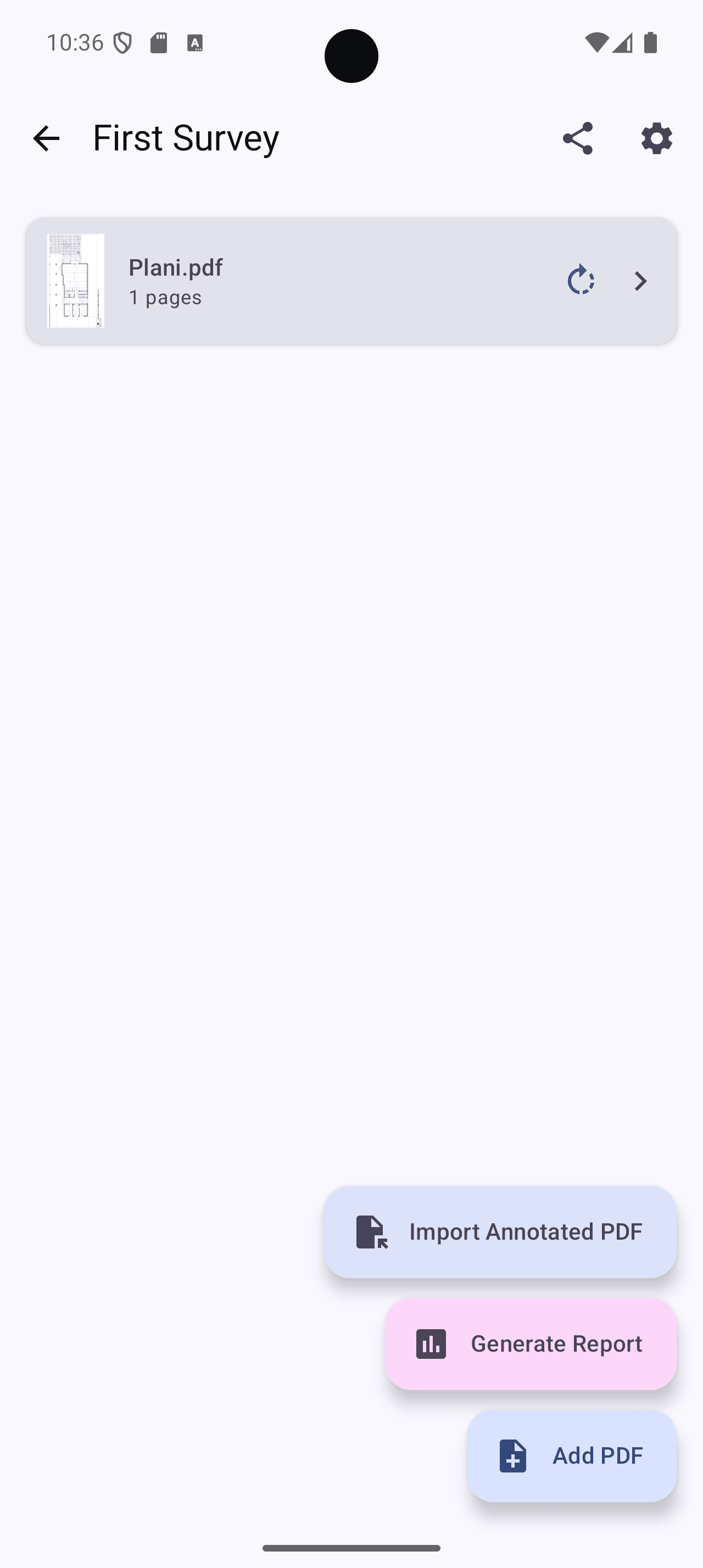
Import the floor plan
Upload your PDFs: plans, sections, elevations. Navigate pages, zoom, rotate.
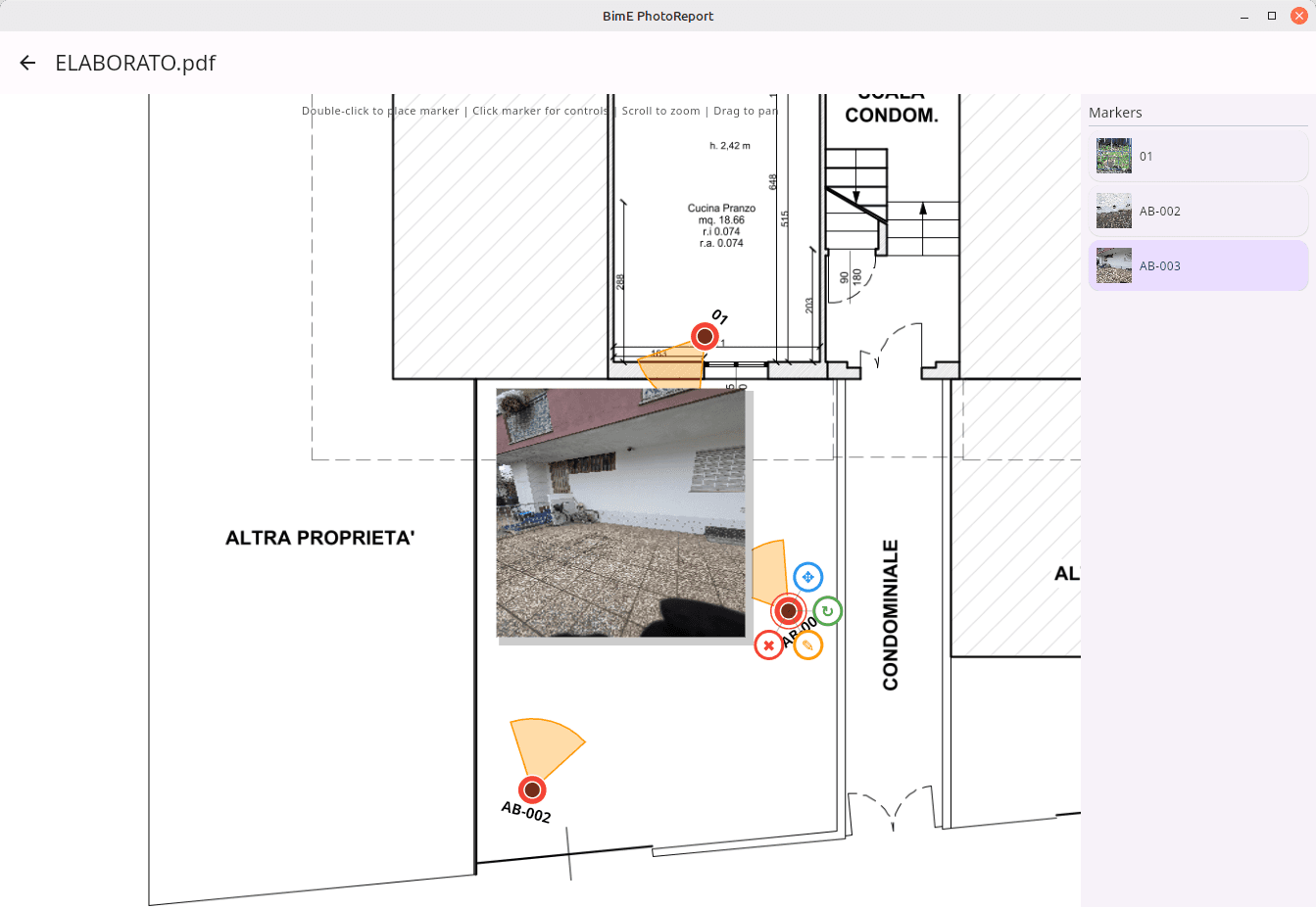
Place viewpoints
Tap on the floor plan to place a marker. The vision cone shows the photo direction — so the reader knows exactly where it was taken from.
Shoot and annotate
Each marker collects its photos. Add notes, annotate directly on images with arrows, rectangles, ellipses, and text. EXIF data (GPS, focal length) is imported automatically.
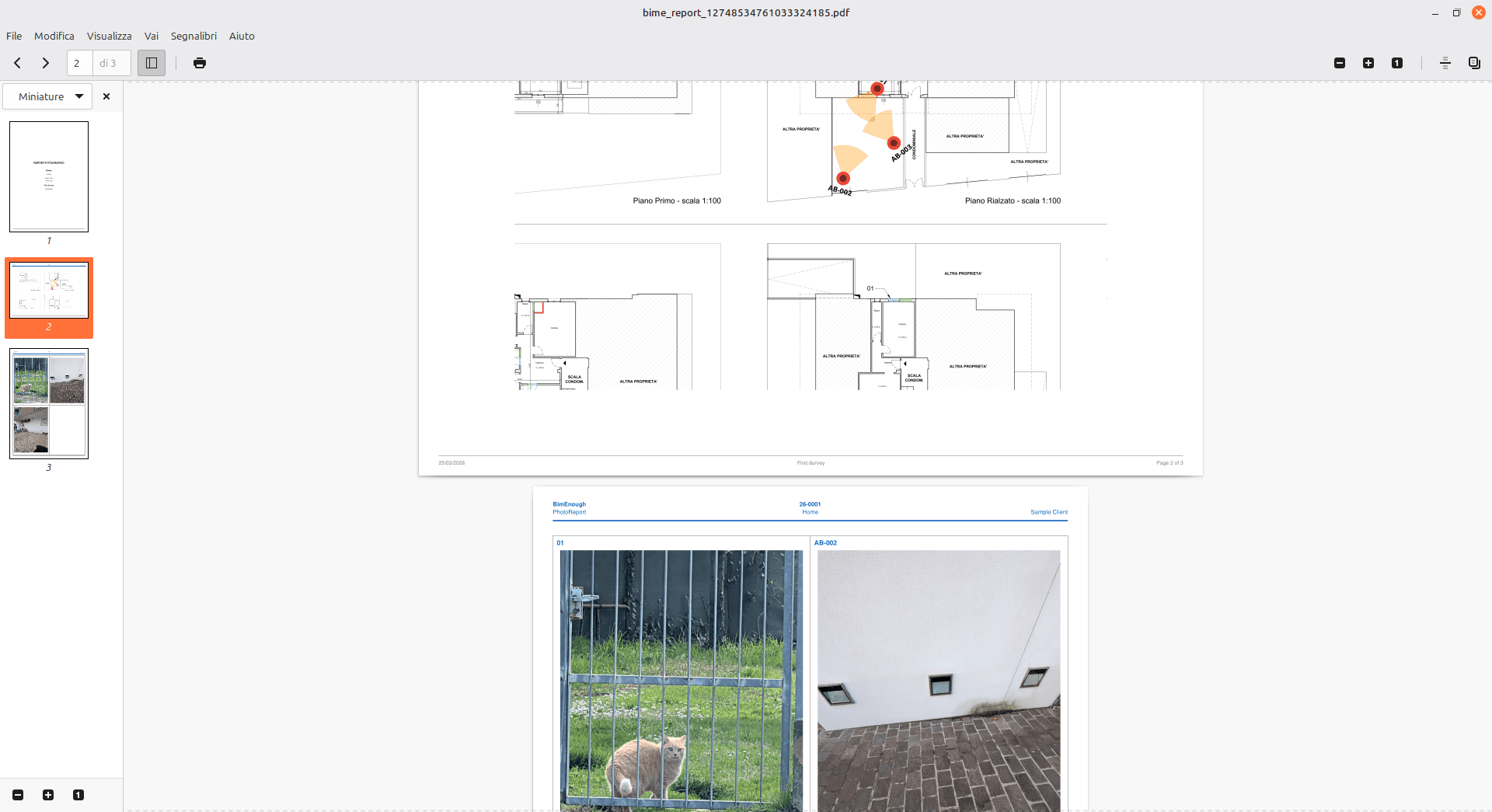
Generate the report
One click to get a professional PDF or RTF report: cover page with logos, floor plans with numbered markers, and photo pages with notes. Choose page format, orientation, and photos per page (1, 2, 4, or 6).
Key features
Smart markers
Automatic numbering, adjustable vision cone, customizable labels (prefix, suffix, digits).
Photo annotation
Rectangles, ellipses, arrows, and text directly on images — with rotation and resize support.
Professional reports
PDF and RTF with cover page, annotated floor plans, and photo pages. Customize layout, logos, and format.
Multi-project
Organize by job: project > survey > floor plans > markers > photos.
Sharing
Export and import complete projects in .BimEPRzip format — compatible between Android and Desktop.
EXIF data
GPS, focal length, and orientation automatically imported from every photo.
Multilingual
Italiano, English, Deutsch, Français, Español.
Available on two platforms
Android
The ideal app for the job site. Take photos directly from your phone, place markers on the floor plan, and generate the report on the spot.
Desktop
Perfect for office work. Import surveys from your phone, enrich annotations with mouse and keyboard, and produce polished reports. Free with registration.
Both apps share the same data format: export from your phone, import on desktop (and vice versa).
Who it's for
Engineers and architects — technical surveys, assessments, structural inspections
Surveyors — photo surveys, quantity takeoffs, site supervision
Construction companies — work progress documentation, photo-based SALs
Experts and CTUs — technical reports with georeferenced photo documentation
Energy managers — energy audits, diagnostics, certifications
Facility managers — scheduled maintenance, periodic inspections
Stay updated with exclusive tips
Receive weekly Revit tips, new features and best practices directly in your email.
No spam, only valuable content. Unsubscribe with one click.